
Developer Tools
GUID vs UUID Explained
GUID and UUID usually describe the same 128-bit identifier. Learn the terminology, UUID v4 format choices, common mistakes, and when to use each term.
By UseBoldTools Team 7 min readPublished June 3, 2026
Introduction
You may see one API ask for a GUID, another database column called uuid, a .NET model using Guid, and a JavaScript example calling crypto.randomUUID(). It can look like several different identifier systems, especially when some examples are uppercase, some have braces, and others remove hyphens entirely.
The short answer: GUID and UUID usually mean the same thing in practical software development. This guide explains the terminology, the common versions, the format differences you will see, and how to use GUID Generator when a system asks for either a GUID or a UUID.
If you already know the concept and just need values, read how to generate a GUID online or open the tool directly. More practical developer references live on the UseBoldTools blog.
What GUID means
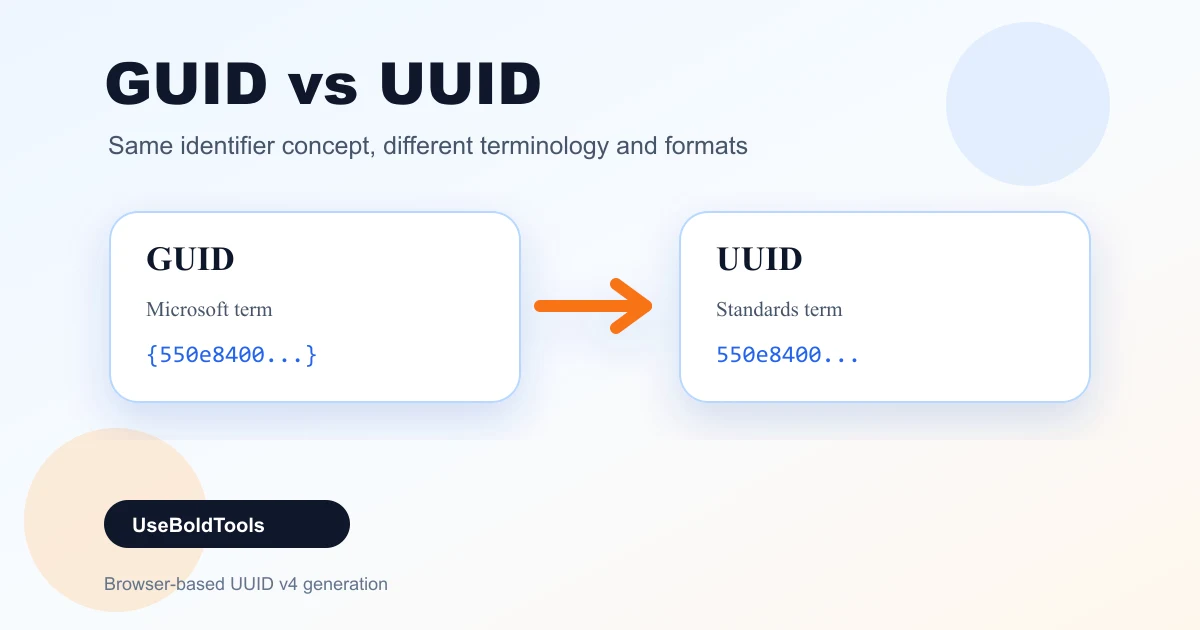
GUID stands for Globally Unique Identifier. The term is strongly associated with Microsoft platforms: Windows, COM, Active Directory, SQL Server, .NET, and many tools that grew around those ecosystems. In C#, for example, the type is named Guid.
A GUID is a 128-bit identifier commonly shown as 32 hexadecimal characters grouped 8-4-4-4-12. It may be lowercase or uppercase. It may appear with hyphens, without hyphens, inside braces, or inside parentheses depending on the platform.
In day-to-day work, when a Microsoft-oriented product says "generate a GUID", it almost always accepts the same values that other platforms call UUIDs.
What UUID means
UUID stands for Universally Unique Identifier. It is the standards-oriented name used in many programming languages, databases, web APIs, and RFC references. PostgreSQL has a uuid type. Java has java.util.UUID. JavaScript has crypto.randomUUID().
A UUID is also a 128-bit identifier and uses the same familiar canonical display form: 550e8400-e29b-41d4-a716-446655440000. In that string, the version and variant bits communicate what kind of UUID it is and how it follows the standard layout.
UseBoldTools focuses on UUID v4 because it is the most common general-purpose option: random, simple, privacy-friendly, and suitable for public identifiers in modern applications.
GUID vs UUID: the real difference
The practical difference is terminology and ecosystem, not a different kind of value. GUID is the Microsoft-flavored name. UUID is the standards-flavored name. Both refer to the same kind of 128-bit identifier when people are discussing normal application IDs.
- Use "GUID" when talking to .NET, SQL Server, Windows, PowerShell, COM, and Microsoft documentation audiences.
- Use "UUID" when talking to web standards, PostgreSQL, Java, JavaScript, Linux tooling, OpenAPI examples, or cross-platform documentation.
- Generate UUID v4 when you need a random general-purpose identifier and there is no platform-specific version requirement.
The GUID Generator produces UUID v4 values that are suitable when someone asks for a random GUID in most developer workflows.
UUID versions in plain English
The version digit tells you how a UUID was created. You do not need every version for everyday work, but knowing the difference helps you choose the right ID style.
- UUID v1 is time-based and can include machine-related information. It can be sortable by time, but it is less privacy-friendly.
- UUID v3 is namespace/name based with MD5 hashing. It creates repeatable IDs from the same input.
- UUID v4 is random. This is the version UseBoldTools generates and the one most people want for general unique IDs.
- UUID v5 is namespace/name based with SHA-1 hashing. It is also repeatable from the same input.
- Newer sortable UUID styles exist in modern discussions, but not every platform supports them equally yet.
For test data, public IDs, request correlation, and most app resources, UUID v4 remains the default choice because it is easy to generate independently and does not reveal time or machine details.
When to say GUID and when to say UUID
Use the term your audience expects. In a .NET codebase, "Guid" is natural. In a PostgreSQL migration, "uuid" is natural. In a public API document, "UUID" is usually clearer because it is platform-neutral.
The important part is to document the version and format, not only the word. "UUID v4, lowercase, hyphenated" is much clearer than "GUID" by itself. It tells developers how the value is generated and what string shape to expect.
When building examples, generate fresh values with GUID Generator and keep production IDs out of tickets, docs, screenshots, and support conversations.
Step-by-step: generate either format
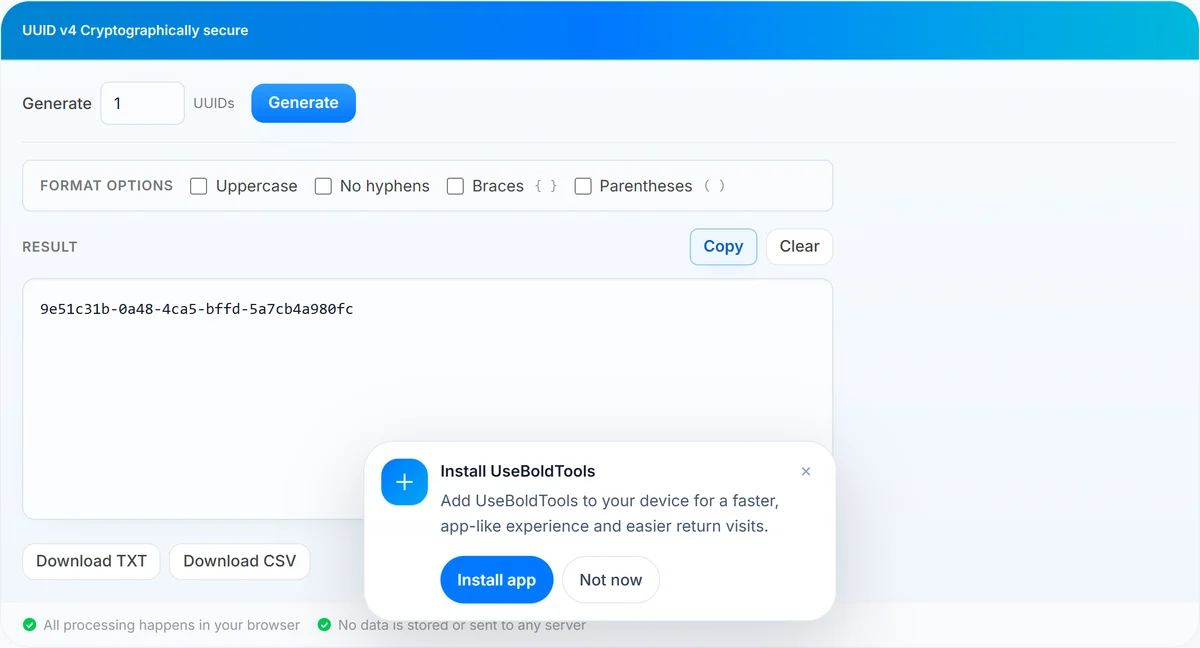
Open GUID Generator. The generated UUID v4 output can be used as a GUID in most systems. Then choose the format style your target system expects.
- Keep standard output for most APIs, databases, and cross-platform documentation.
- Turn on Uppercase if a Microsoft-oriented example, spreadsheet, or legacy field uses capital letters.
- Turn on No hyphens if the schema expects 32 continuous hexadecimal characters.
- Turn on Braces for examples like {550e8400-e29b-41d4-a716-446655440000}.
- Turn on Parentheses only when a legacy system or document style asks for it.
After formatting, use Copy for one-off work or Download TXT/CSV for a whole batch.
Benefits of understanding GUID vs UUID
- Cleaner API docs. You can specify version and format instead of leaving teams to infer them.
- Fewer integration errors. Consumers know whether hyphens, braces, and uppercase matter.
- Better database choices. You can use native UUID types where available instead of storing every ID as arbitrary text.
- Safer examples. You can generate sample identifiers without leaking real IDs from production systems.
- More precise reviews. Teammates can discuss the identifier strategy rather than getting stuck on vocabulary.
Privacy and security
A random UUID v4 is appropriate for non-secret identifiers. It does not contain a timestamp, MAC address, username, or database sequence number. That makes it a solid default for public resource IDs and sample values.
Still, uniqueness is not the same thing as secrecy. A UUID in a URL should not be the only thing protecting sensitive data. Permissions, authentication, and authorization must live in your application logic.
Use JWT Decoder for inspecting token structure, Hash Generator for one-way digests where appropriate, and purpose-built security tooling for secrets. The GUID/UUID distinction does not turn an identifier into a credential.
Common mistakes to avoid
- Arguing terminology instead of contracts. Define version, format, and storage behavior; the GUID/UUID word choice matters less.
- Assuming all UUIDs are v4. Some UUIDs are time-based or namespace-derived. Check the version when it matters.
- Using string sorting for creation order. UUID v4 is random, so it does not sort by time.
- Comparing formatted strings directly. Uppercase, braces, and hyphens can make equivalent values look different.
- Using public IDs as access control. A hard-to-guess ID is not a permission system.
Best practices
- Write "UUID v4" or "random GUID/UUID" in technical docs when the version matters.
- Prefer native UUID database types when available; they validate format and often store more efficiently than text.
- Normalize IDs before comparing if values may arrive with different casing or punctuation.
- Generate fresh example IDs for screenshots, fixtures, and support tickets.
- Use JSON Formatter, Base64 Encoder / Decoder, Timestamp Converter, and GUID Generator together when building realistic API examples.
Conclusion
GUID and UUID are usually two names for the same practical identifier format. GUID is common in Microsoft ecosystems; UUID is common in standards, databases, and cross-platform docs. The smarter question is usually not which word is "correct", but which version and string format your system expects.
When you need fresh examples or test data, open GUID Generator, generate UUID v4 values locally, and choose the wrapper or casing style your target system requires. For the hands-on workflow, read how to generate a GUID online.
Frequently asked questions
Is a GUID the same as a UUID?
In normal development work, yes. GUID is Microsoft terminology and UUID is the standards terminology for the same 128-bit identifier concept.
Does UseBoldTools generate GUIDs or UUIDs?
UseBoldTools generates UUID v4 values. They are also commonly called GUIDs, especially in Microsoft, .NET, SQL Server, and Windows contexts.
What does UUID v4 mean?
UUID v4 is the random UUID version. It uses random bits rather than a timestamp, MAC address, or namespace-derived value.
Should I store GUIDs with or without hyphens?
Use the storage format your database or API expects. Standard hyphenated UUIDs are most readable, while no-hyphen forms are sometimes used for compact strings.
Are UUID v4 values guaranteed to be unique?
They are not mathematically impossible to collide, but the probability is so small that UUID v4 is treated as unique for practical application identifiers.
Related guides
Related tools
Ready to try GUID Generator?
Use our free GUID Generator tool in your browser — no account required for most workflows.
Open GUID Generator